

Updated September 3, 2026: We have updated the timeline. This feature will now be included as part of another update referenced in MC796790. Administrators will gain the ability to manage Microsoft 365 certified SaaS applications through org-wide settings for third-party apps. No changes will be applied to tenant-wide settings unless initiated by an administrator. Thank you for your patience.
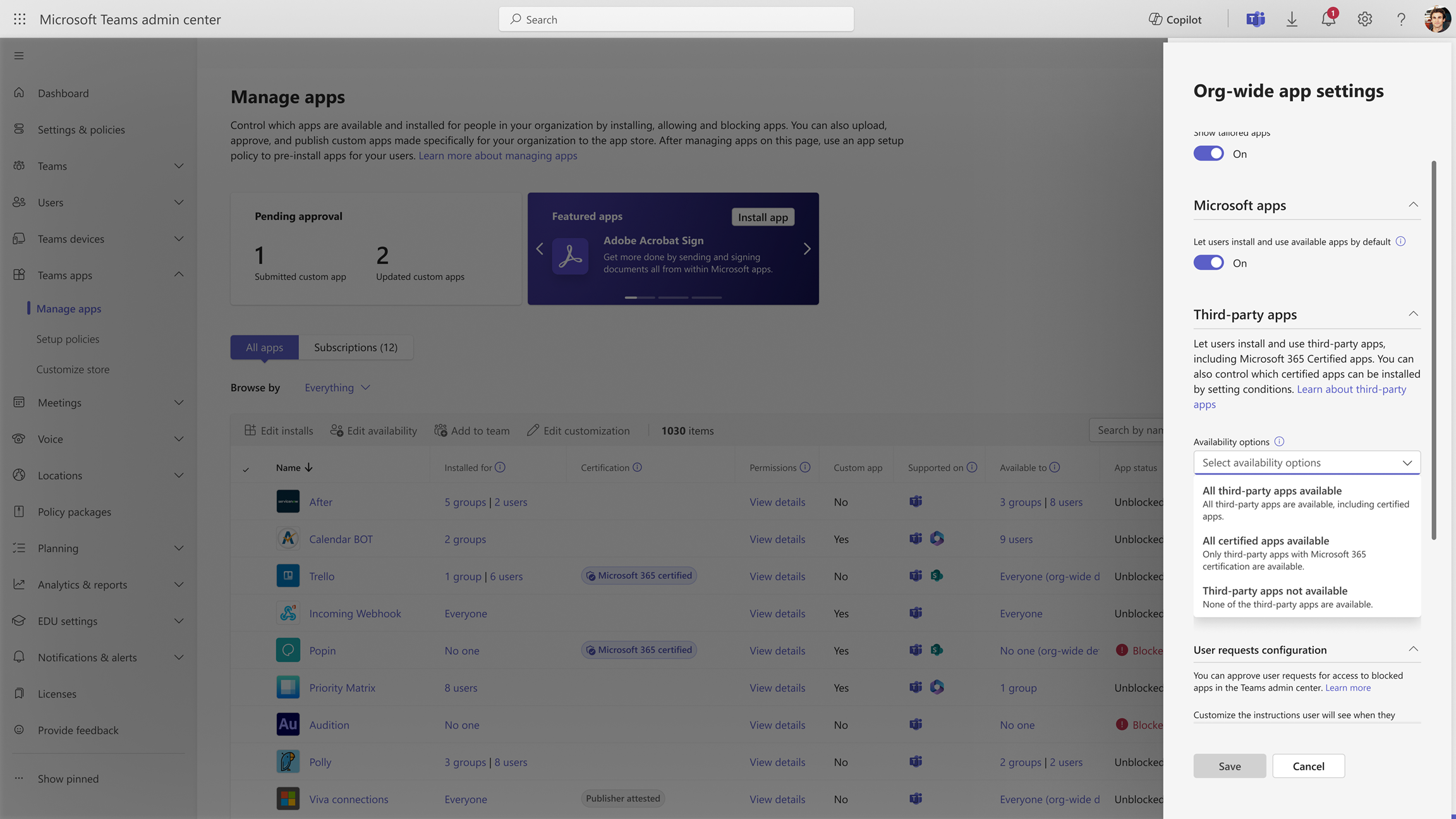
This feature will empower administrators to manage the availability of trusted Microsoft Teams apps based on rules, for enhanced security. Admins will be able to manage Microsoft 365 certified apps in the Teams admin center through a new control in Org-wide settings. You can further customize the availability of these apps based on permissions accessed and publisher names. The system automatically checks the Microsoft 365 certified apps that meet all the conditions you specify and makes those apps available.
This message is associated with Microsoft 365 Roadmap ID 485712.
When this will happen
General Availability (Worldwide): We will track this under MC796790.
How this will affect your organization
Before this rollout, you cannot manage at bulk the availability of Microsoft 365 certified apps. They are only controlled by third-party app tenant settings.
After this rollout, you can manage Microsoft 365 certified apps availability from org-wide settings in the Teams admin center at Manage apps > Actions > Org-wide app settings > Third-party apps.
What you need to do to prepare
This rollout will happen automatically by the specified dates with no admin action required before or after the rollout. Review your current configuration to assess the impact on your organization. You may want to notify your users about this change and update any relevant documentation. This new control will be disabled by default.
Learn more: Manage org-wide app settings in Manage your apps in the Microsoft Teams admin center - Microsoft Teams | Microsoft Learn (will be updated before rollout)