

Updated October 16, 2026: We have updated the timeline. Thank you for your patience.
We’re introducing the ability for organizations to customize Microsoft 365 profile cards by adding up to 10 custom properties sourced from external systems such as HR platforms. This enhancement helps enrich user profiles with relevant organizational details, improving discoverability and context for collaboration.
This message is associated with Microsoft 365 Roadmap ID 529851.
When this will happen:
General Availability (Worldwide): We will begin rolling out in November 2026 (previously October) and expect to complete in November 2026 (previously October).
How this affects your organization
Who is affected: Microsoft 365 tenant admins managing user profile cards
What will happen:
- You can add up to 10 custom properties to profile cards using Microsoft Graph People connectors.
- Properties can be sourced from external systems (such as HR platforms).
- This feature is OFF by default and requires admin configuration to enable.
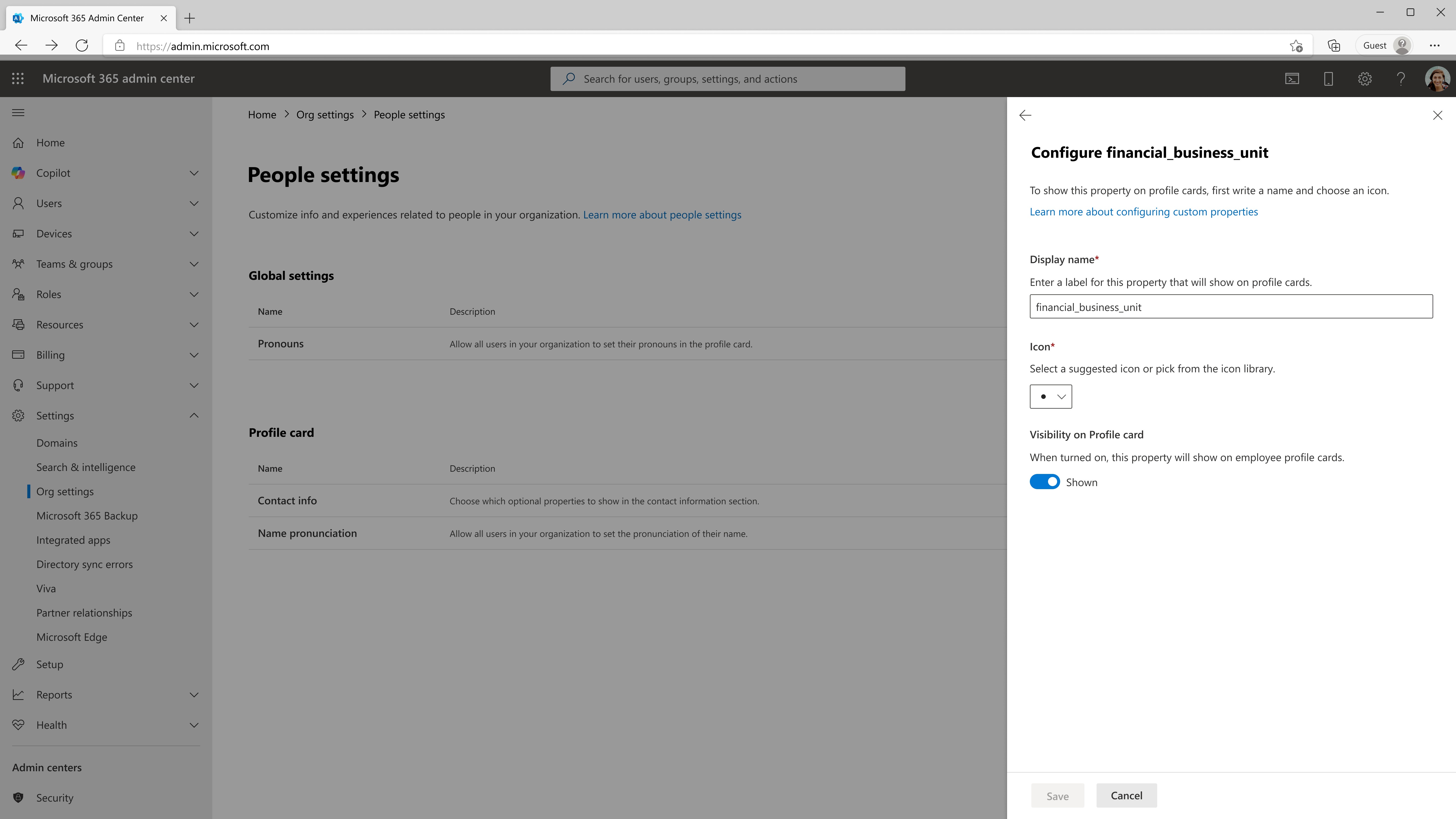
- Admins can configure visibility, display name, and icon for each property in Microsoft 365 admin center under: Settings > Org settings > People settings > Profile > Person info on profile cards
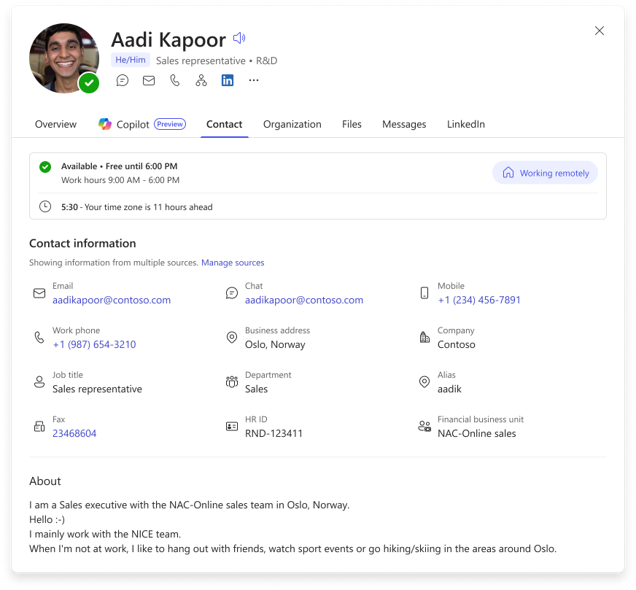
- Once enabled, properties appear in the Contact Information section of profile cards in Outlook Web:
- Changes may take up to 24 hours to propagate across profile cards.
- Future updates will include direct ingestion from SAP SuccessFactors and Workday connectors.
What you can do to prepare
- Review external systems for properties you want displayed on profile cards.
- Ingest these properties using a Microsoft Graph People connector.
- Configure visibility and enable properties in the Microsoft 365 admin center.
- Communicate this change to helpdesk staff and update internal documentation if needed.
Learn more: Microsoft 365 Copilot connectors for people data | Microsoft Learn
Compliance considerations
No compliance considerations identified. Review as appropriate for your organization.