

Updated September 22, 2026: We have updated the timeline. Thank you for your patience.
[Introduction]
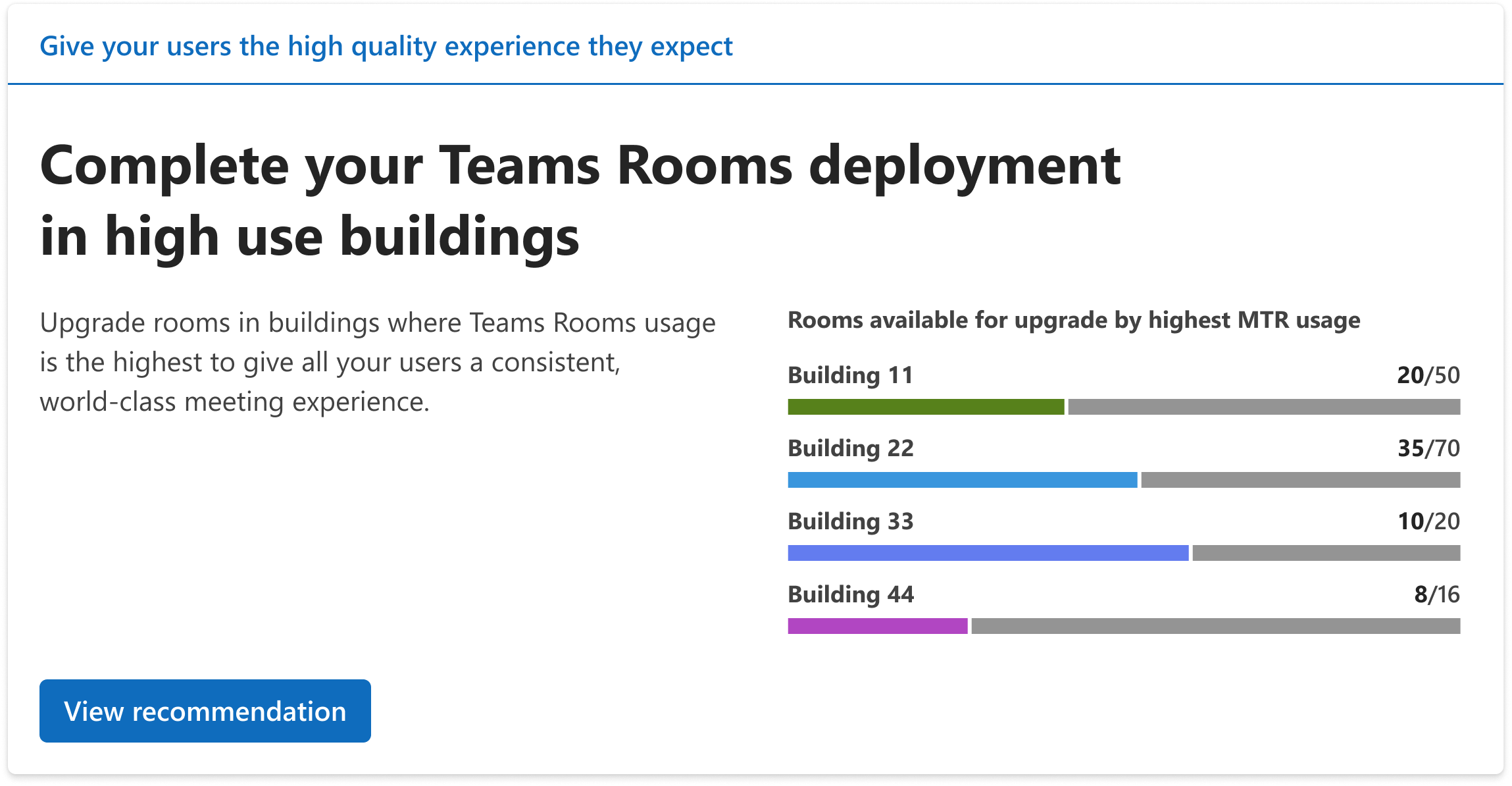
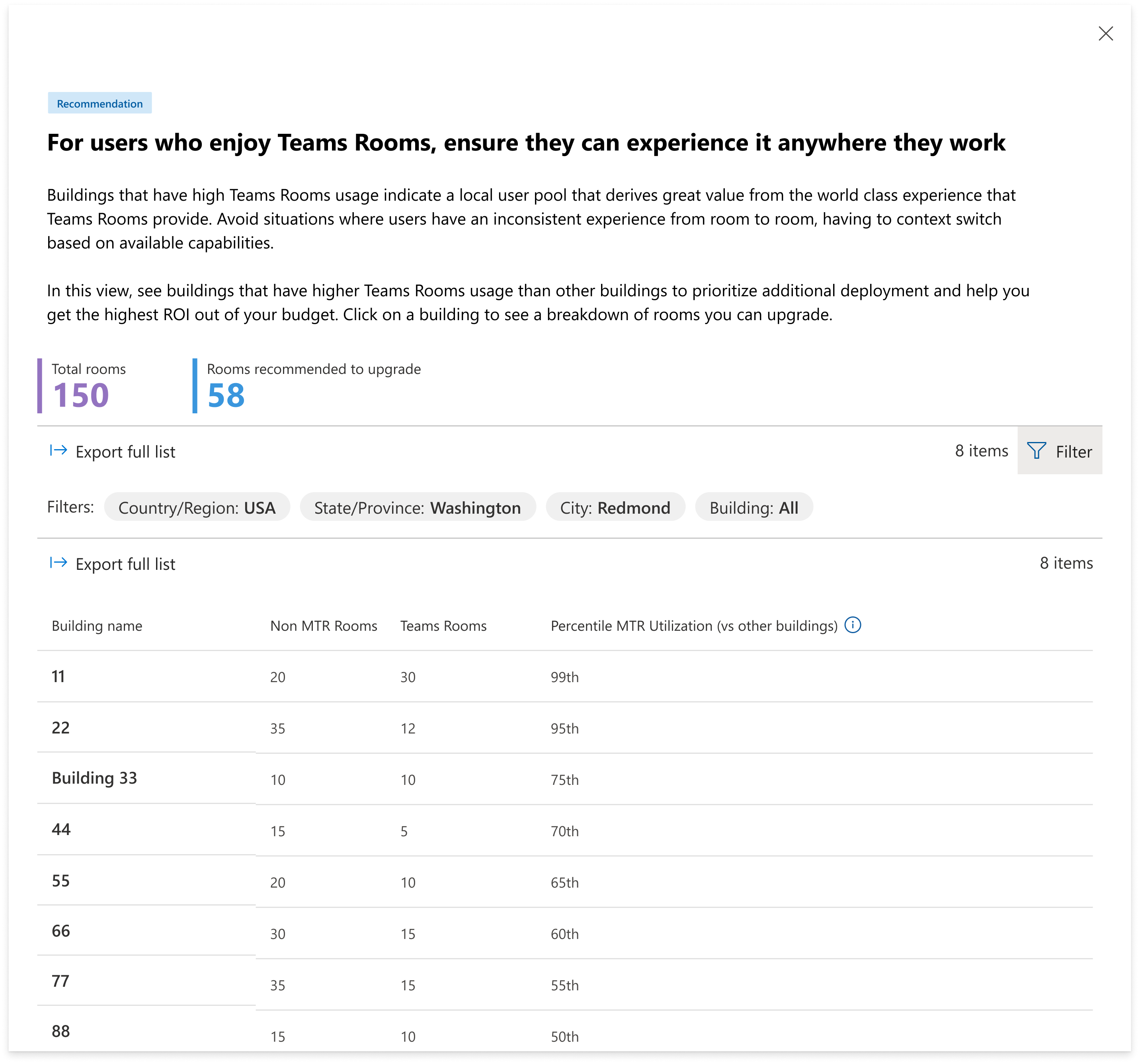
We’re adding new building‑level insights to the recommended actions page in the Teams Rooms Pro Management portal. This update helps IT admins identify buildings with high Microsoft Teams Rooms (MTR) utilization that still have bring-your-own-device (BYOD) rooms in them, creating an inconsistent user experience from room to room. These insights support more consistent meeting experiences across buildings and help organizations optimize room‑technology investments. Available with a Teams Rooms Pro or Shared Space license.
This message is associated with Microsoft 365 Roadmap ID 553591.
[When this will happen]
- General availability (Worldwide): We will begin rolling out mid-June 2026 (previously early June) and expect to complete by end of October 2026 (previously mid-September).
[How this affects your organization]
Who is affected
- Organizations using the Teams Rooms Pro Management portal with Teams Rooms Pro or Shared Device licenses
What will happen
- A new building‑level insights view will appear on the portal’s Recommended actions page:
-
- Insights will highlight buildings with high MTR usage and remaining BYOD meeting rooms:
- These insights are designed to help IT create more consistent room to room experiences for users within a building.
- No changes will occur to existing configurations, policies, or settings.
- The feature will be enabled by default for tenants with eligible licenses.
[What you can do to prepare]
No action is required.
If relevant to your organization’s deployment planning, you may:
- Review your current MTR and BYOD room distribution in the Teams Rooms Pro Management portal.
- Update internal documentation or planning guidance as needed.
- Share this update with teams responsible for meeting room technology decisions.
[Compliance considerations]
No compliance considerations identified. Review as appropriate for your organization.