

Updated August 14, 2026: We have updated the timeline. Thank you for your patience.
[What and Why:]
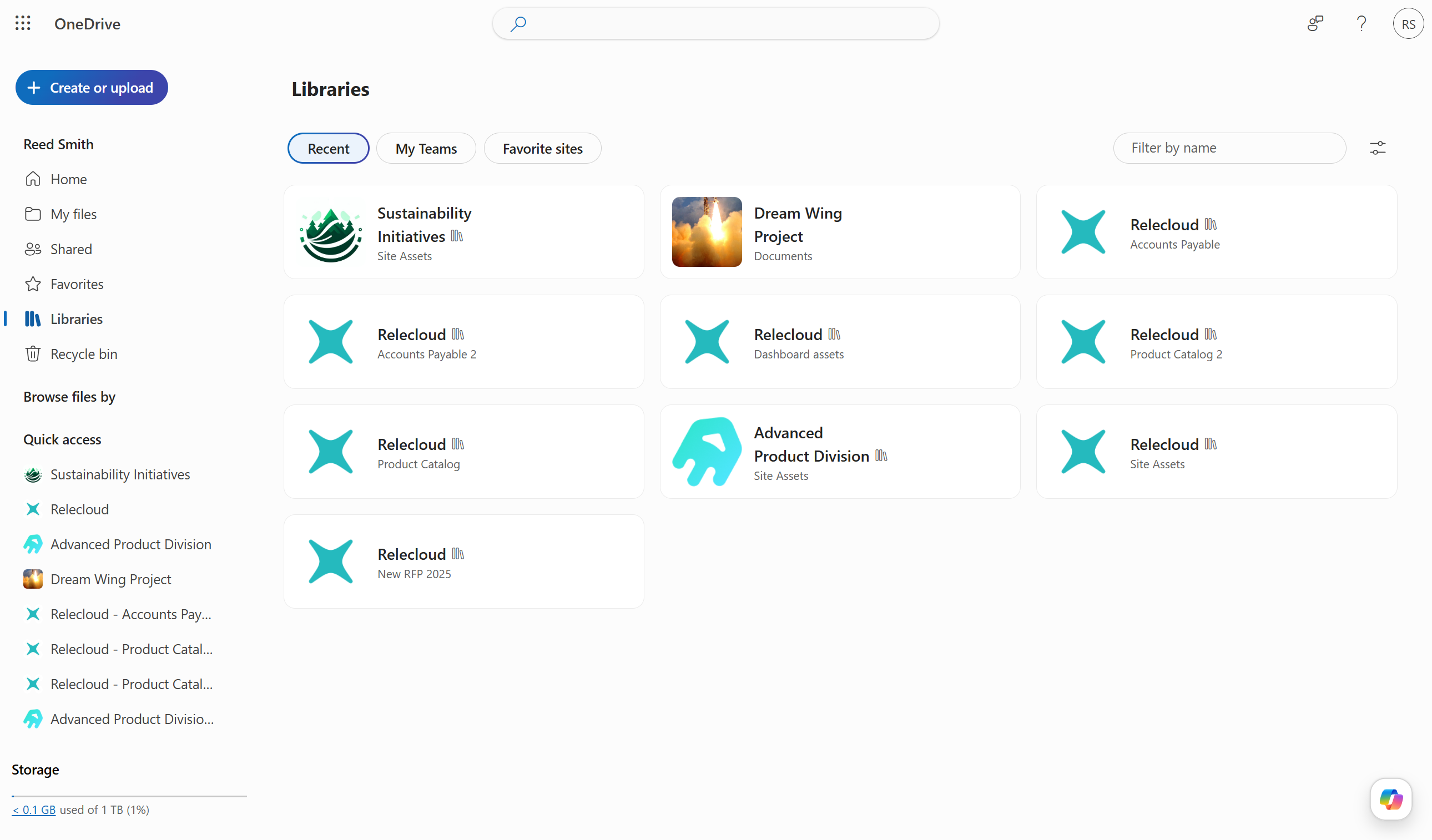
We’re introducing a refreshed Libraries view in OneDrive for the web that replaces the existing More places experience. This update makes it easier for users to discover and access SharePoint document libraries across recent activity, Teams, and favorite sites. The new experience improves navigation and findability, helping users and teams quickly return to shared content and work more efficiently.
This message is associated with Roadmap ID 566315.
[Rollout Schedule:]
- Targeted Release (Worldwide): Beginning early July 2026 and expected to complete by mid-July 2026
- General Availability (Worldwide): Beginning mid-July 2026 and expected to complete by end of August 2026 (previously late July)
[Impact on Your Organization:]
Who is affected: All users of OneDrive for the web
Platforms/Services:
- OneDrive for the web
- SharePoint Online
- Microsoft Teams
What will happen:
- The More places experience will be replaced by a new Libraries view in OneDrive for the web.
- The feature will be enabled by default.
- Users will see more recently accessed document libraries for quicker access.
- Users can access libraries tied to Teams and favorite SharePoint sites directly.
- Users can:
- Filter libraries using keywords.
- Sort libraries by recent activity or alphabetically.
- Switch between list and tiles views.
Screenshot 2: Recent document libraries, filtered to Site assets
>
- Existing permissions and access controls remain unchanged.
- No admin configuration or policy changes are required.
Screenshot 1: New libraries view showing recently accessed document libraries:
[Action Required/Recommendations:]
No action is required.
Recommended actions:
- Review and update internal training materials to reflect the new Libraries experience.
- Inform helpdesk and support teams about the replacement of More places.
- Communicate the new capabilities to end users (filtering, sorting, view options).
No compliance considerations identified, review as appropriate for your organization.