

[What and why]
We have introduced an enhancement to Copilot in SharePoint page authoring that allows page authors to directly select specific page canvas elements before submitting a prompt to Copilot. This improvement helps authors provide more precise context for Copilot, making it easier to target edits to specific sections or web parts and improving the page editing experience.
[Rollout schedule]
- General Availability (Worldwide, GCC, GCC High, DoD): This feature is available now.
Who is affected
- SharePoint page authors with a Microsoft 365 Copilot license.
Platforms and services
- SharePoint Online
- Microsoft 365 Copilot
What will happen
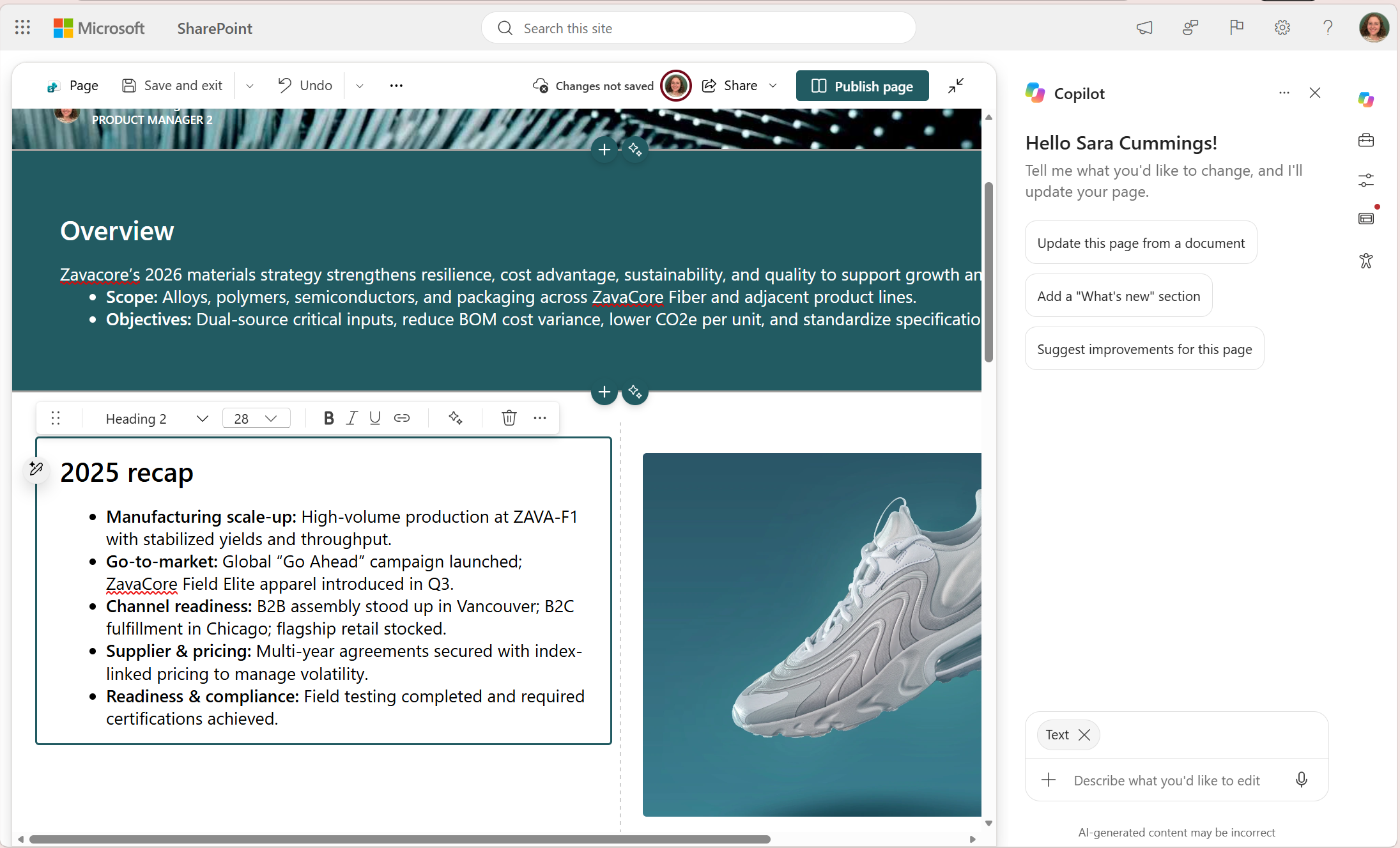
- Authors editing a SharePoint page with Copilot can directly select specific page canvas elements before submitting a prompt.
- Selected elements will appear as a selection indicator above the Copilot chat box.
- Authors can select entire sections or individual web parts for editing.
- Copilot will use the selected element(s) as the context for requested changes. If no canvas element is selected, Copilot will continue to determine the most appropriate area of the page to update based on the prompt.
Editing a page canvas element with Copilot:
[Action required and recommendations]
No action is required.
[Learn more]
[Compliance considerations]
No compliance considerations identified. Review as appropriate for your organization.