

[What and why]
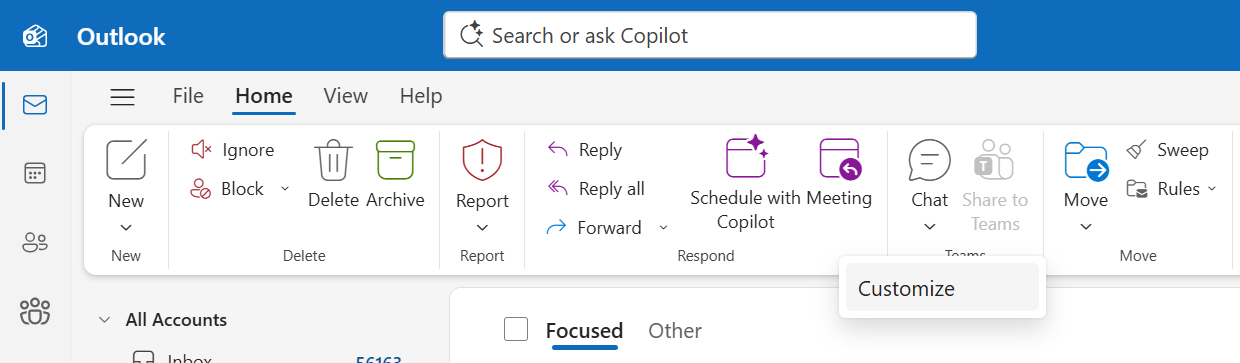
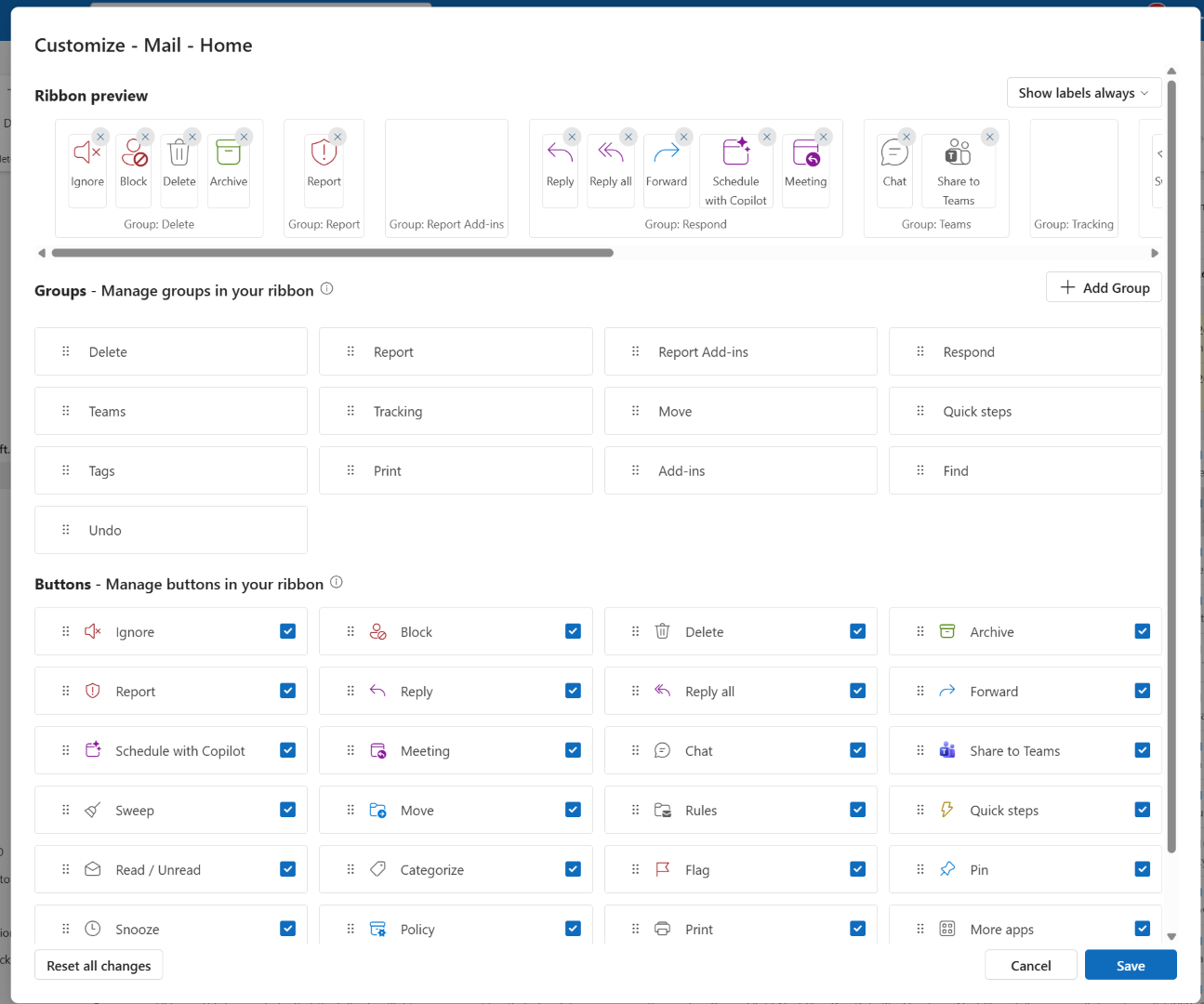
We are updating the classic ribbon customization experience in Microsoft Outlook. Users can now customize the classic ribbon by right-clicking the ribbon on the Home or View tab and selecting the Customize button. Users can then choose which commands and groups appear on the Home and View tabs and arrange them in their preferred order.
[Rollout schedule]
- General Availability (Worldwide): Rollout began in late September 2026 and is expected to complete by mid-November 2026.
[Impact on your organization]
Who is affected
- Microsoft Outlook users
Platforms and services
- Microsoft Outlook
- New Outlook for Windows
- Microsoft Outlook on the web
What will happen
- Users can customize the classic ribbon by right-clicking on the ribbon, selecting which commands and groups to display on the Home and View tabs, and arranging them as desired.
Classic ribbon customization entry point
Classic ribbon customization menu
[Action required and recommendations]
No action is required.
[Compliance considerations]
No compliance considerations identified. Review as appropriate for your organization.