

[What and why]
Microsoft is bringing featured playlists from AI Skills Navigator into Learning Agent in Microsoft 365 Copilot. Featured playlists bring related learning resources together around a role, product, or skill. Users can discover these structured collections through natural language conversations in Learning Agent, helping them spend less time searching individual learning resources and more time building practical AI skills.
Users can discover featured playlists with prompts such as:
- What playlists can help me build AI skills for sales?
- Find a playlist that helps me create better marketing campaigns with AI.
- Recommend some playlists to help me do code reviews faster using AI.
- Find me some playlists that help me manage my company's AI costs better.
- Show me some playlists on how I can get more done at work using agents.
[Rollout schedule]
- General Availability (Worldwide): Beginning in mid-November 2026 and expected to complete by mid-November 2026
[Impact on your organization]
Who is affected
- Users in organizations where AI Skills Navigator is enabled
Platforms and services
- Microsoft 365 Copilot
- Copilot Chat
- Learning Agent
- AI Skills Navigator
What will happen
- Users can ask Learning Agent for featured playlist recommendations through natural language conversations:
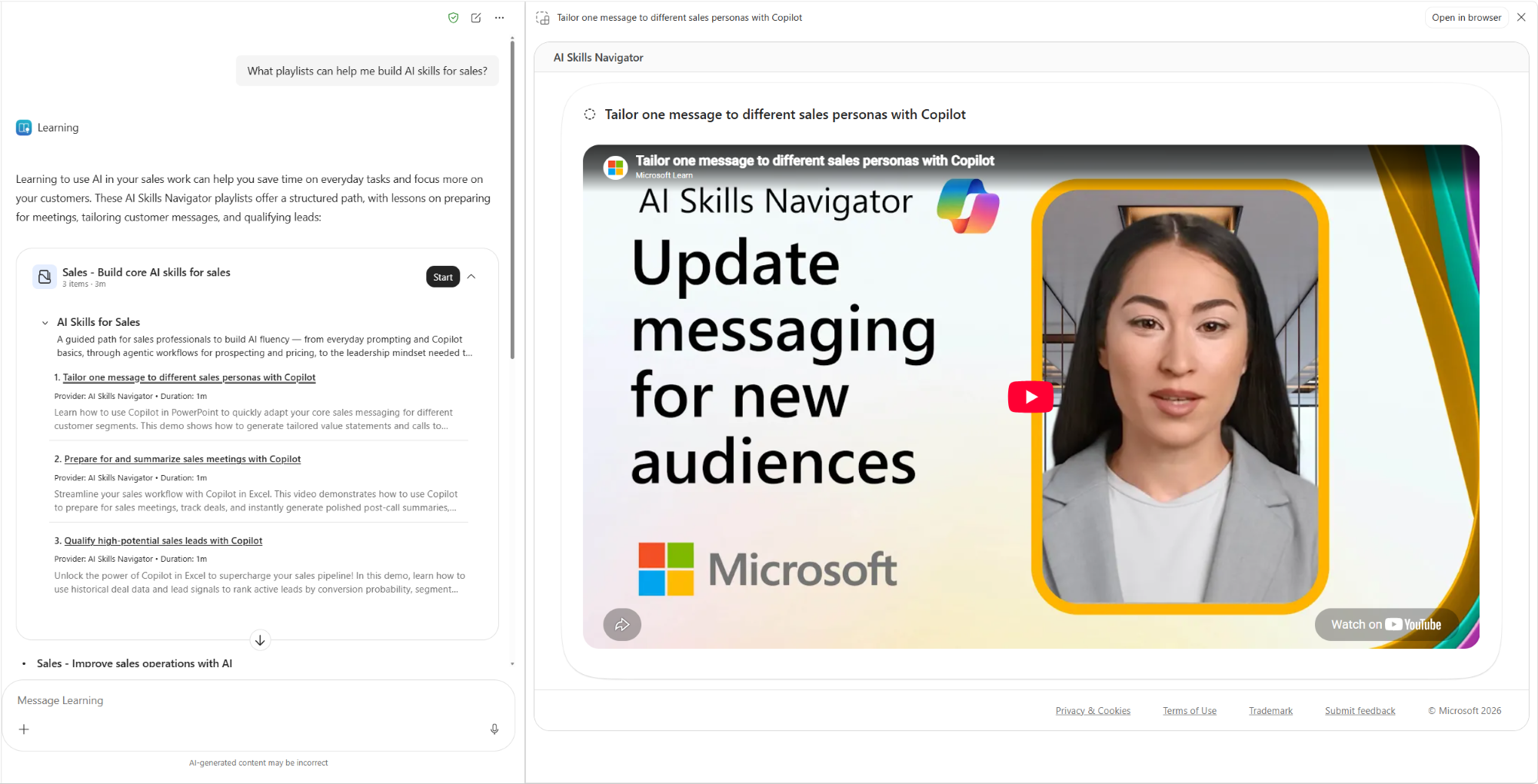
- Featured playlists provide curated sequences of related learning content aligned with a role, product, or skill
- Featured playlists are included in Learning Agent when AI Skills Navigator is enabled for your organization
- Playlist recommendations won't appear if either Credentials or Microsoft YouTube videos is turned off in your AI Skills Navigator settings
[Action required and recommendations]
No action is required.
If your organization uses AI Skills Navigator, review your AI Skills Navigator settings. Playlist recommendations won't appear if either Credentials or Microsoft YouTube videos is turned off.
[Compliance considerations]
No compliance considerations identified. Review as appropriate for your organization.