

[What and why]
We are introducing presentation mode in the Microsoft OneDrive app for iPad. Users can select a new Presentation button in the PDF viewer to enter a focused, view-only experience that prevents free gesture scrolling between pages, reducing accidental page changes while presenting without requiring users to move the file to another app. This update is based on customer feedback requesting a presentation experience directly in the OneDrive PDF viewer. This feature is not available on iPhone.
[Rollout schedule]
- General Availability (Worldwide): Rollout will begin in early December 2026 and is expected to complete by late December 2026.
[Impact on your organization]
Who is affected
- Users who open and present PDF files in the OneDrive app for iPad.
Platforms and services
- Microsoft OneDrive for iPad
What will happen
- Users can select the Presentation button in the OneDrive PDF viewer to enter presentation mode.
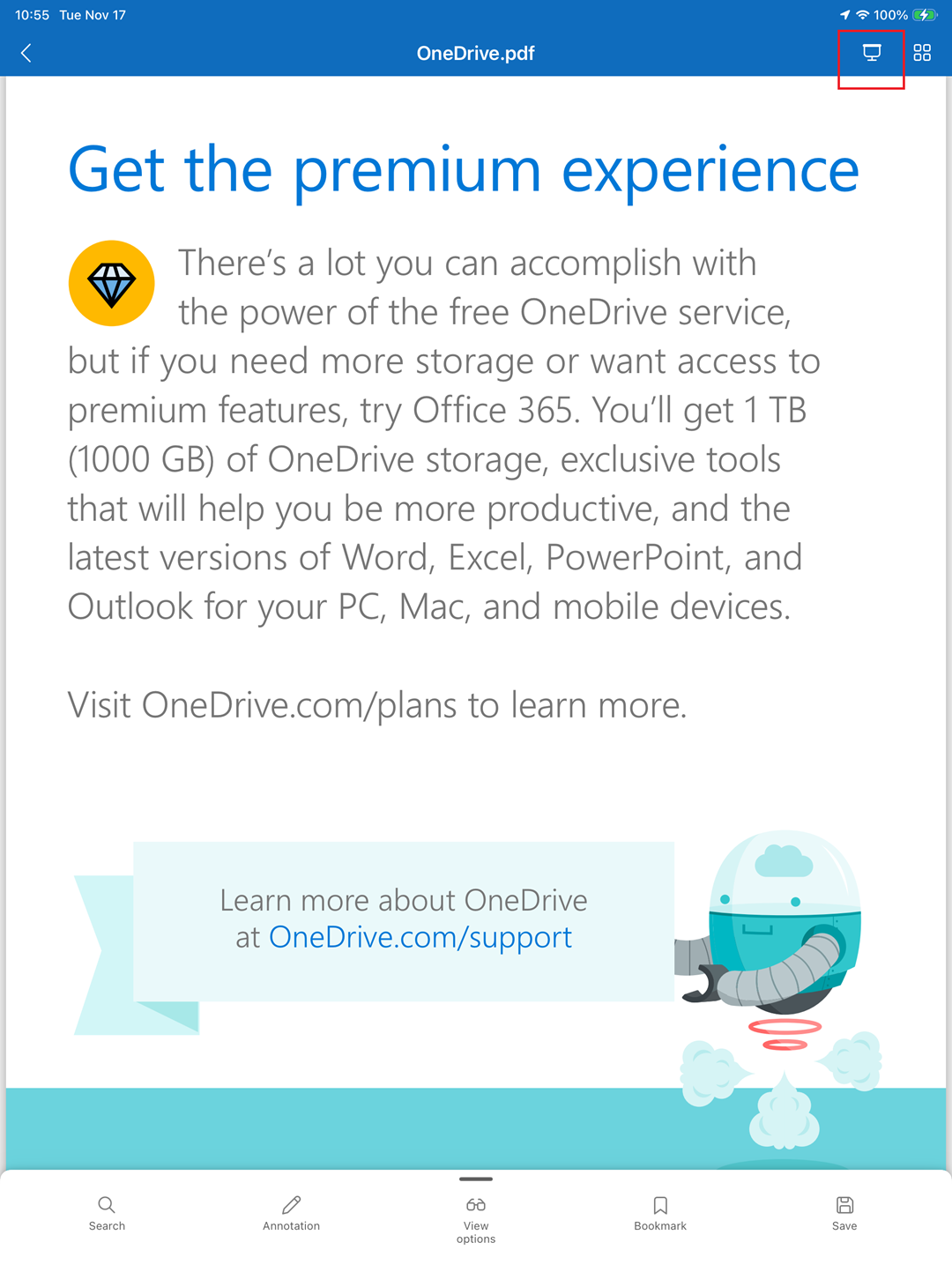
- Presentation mode supports all PDFs, displays them in a view-only experience without editing controls, and does not intentionally change them or create a new copy.
- Free scrolling or swiping between pages is disabled in presentation mode, preventing accidental page changes. Users can switch pages only by selecting the on-screen navigation buttons.
- The feature is enabled by default for all OneDrive for Business customers.
- No admin control or tenant configuration is available for this feature.
- Presentation mode changes how a PDF is displayed during a presentation and does not intentionally change file storage, permissions, sharing, retention, or audit behavior. Existing OneDrive access permissions and protections applied to the PDF continue to apply.
[Action required and recommendations]
No administrative action is required before rollout. We recommend that you inform helpdesk and support teams about the new presentation experience and update internal user guidance for presenting PDFs from the OneDrive app for iPad.
[Compliance considerations]
No compliance considerations identified. Review as appropriate for your organization.